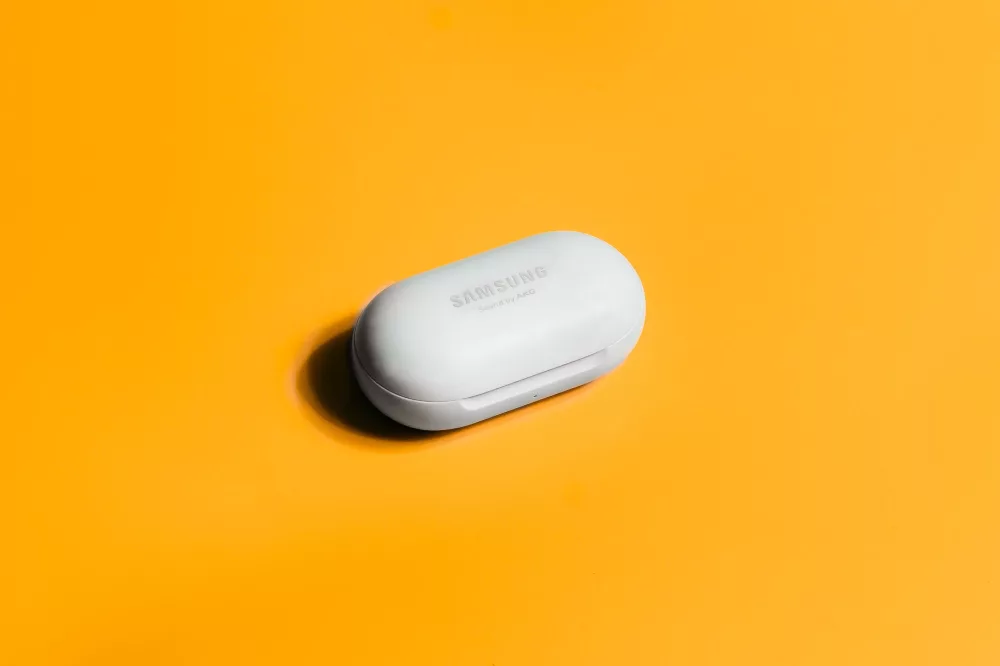
Hey there! If you're anything like me, you've probably invested in a fantastic pair of Samsung earbuds—maybe some sleek Galaxy Buds2 Pros, the iconic Buds Live, or even the original Buds. They’re incredible pieces of tech, offering amazing sound and convenience, but I’ve found that getting the absolute best out of them really boils down to one critical thing: how you wear them. Seriously, a proper fit isn’t just about comfort; it radically impacts sound quality, noise cancellation, and whether they stay put during your morning run. I mean, who wants a bud falling out mid-sprint, right?
Today, I'm going to walk you through everything I've learned about mastering the fit of your Samsung earbuds. We're going to cover common types, why fit matters so much, a step-by-step wearing guide, and even some troubleshooting tips. Let's get into it!
Why a Great Fit Is Non-Negotiable for Your Earbuds
Before we dive into the 'how,' let's quickly touch on the 'why.' When your earbuds fit correctly, a few magical things happen. First, you get the full audio spectrum. If there's a loose seal, you'll notice a significant drop in bass response, and the sound can become tinny or distant. That's just a fact. Your music, podcasts, or calls won't sound as rich or as clear as they should.
Second, active noise cancellation (ANC), a feature on many Samsung models, relies heavily on that good seal. Without it, external noise sneaks right in, defeating the whole purpose of ANC. You won't get that immersive, quiet bubble you paid for. And finally, comfort and security. An ill-fitting earbud can be downright painful after a short while or, even worse, constantly feel like it’s about to tumble out, making you adjust it over and over. That's annoying, and it can disrupt whatever you're doing. I think we can all agree that's a pretty frustrating experience.
Understanding Your Samsung Earbud Types
Samsung has graced us with a variety of earbud designs, and knowing which type you have can inform your fitting strategy. I'm thinking of models like:
- Galaxy Buds/Buds+/Buds2/Buds2 Pro/Buds FE: These are your more traditional in-ear canal designs. They come with silicone ear tips and often wing tips or stabilizers that sit in the outer part of your ear.
- Galaxy Buds Live: These are the unique 'bean' shaped earbuds. They sit in the concha (the bowl-shaped part) of your ear, rather than directly in the ear canal. They also use wing tips but in a very different way.
- Galaxy Buds Pro: A blend of the two, offering an in-ear canal fit but with a slightly different ergonomic design compared to the Buds2 Pro.
While the basic principles of fit apply across the board, the specifics for each model can vary slightly, especially with the Buds Live. But don't worry, I'll cover the general approach that works for most.
The Step-by-Step Guide to Wearing Your Samsung Earbuds
This is where the rubber meets the road, so let's get into the nitty-gritty.
1. Choose the Right Ear Tips (and Wing Tips!)
This is probably the single most important step, and honestly, it's often overlooked. Your Samsung earbuds typically come with a few sets of ear tips (small, medium, large) and sometimes wing tips. Don't just stick with the ones that are pre-installed.
- For In-Ear Canal Buds (Buds2 Pro, Buds FE, etc.): I always recommend trying all the sizes. You might even find you need a different size for each ear—that's totally normal! You want a tip that creates a gentle, comfortable seal in your ear canal without feeling like it's jamming in too deep or falling out easily. It should feel snug, but not painful. If the bass is weak, try a larger tip. If it feels too tight or causes pressure, go smaller.
- For Buds Live (The 'Beans'): These use wing tips that help them anchor in your ear. Again, try the different sizes. The wing tip should sit comfortably under the antihelix (that inner ridge of your ear) to hold the bud securely. The main body of the 'bean' should sit flush in the concha.
Take your time here. This isn't a race! I spend a good few minutes just swapping tips until I find what feels right.
2. Proper Insertion Technique: The 'Twist and Lock'
Once you’ve got your preferred ear tips on, it’s time to insert them. This isn't just about pushing them in, believe me.
- For In-Ear Canal Buds: Gently place the earbud in your ear, with the tip pointing towards your ear canal. Then, lightly twist the earbud forward (towards your face) or backward (towards the back of your head) until it feels like it's settled and sealed. The wing tip, if present, should tuck comfortably into the fold of your outer ear. It should feel secure, almost like it's locked into place. You shouldn't need excessive force here; a gentle twist does the trick.
- For Buds Live: Place the 'bean' in your ear with the speaker grille facing into your ear canal and the wing tip tucked under the antihelix. You might need to rotate it slightly until it feels stable and the main body is nestled comfortably in your concha. These don't go *into* your ear canal in the same way, so the sensation is quite different.
3. Check That Seal!
This is super important. With the earbuds in, put on some music with a good amount of bass. If you immediately notice a rich, full sound, especially in the lower frequencies, you've likely got a good seal. If the sound is thin or tinny, or you can hear a lot of ambient noise, then that seal isn’t quite right. Try re-adjusting, twisting a bit more, or even swapping out the ear tips again.
Some Samsung models, like the Galaxy Buds2 Pro, even have an 'Earbud fit test' feature in the Galaxy Wearable app. I highly recommend using this! It plays some tones and uses the internal microphones to check for leaks. It's an incredibly helpful tool to confirm you've done it right.
4. Test the Fit: Move Your Head!
You’re not going to be sitting perfectly still all the time, are you? Once you think you have a good fit, do a quick